
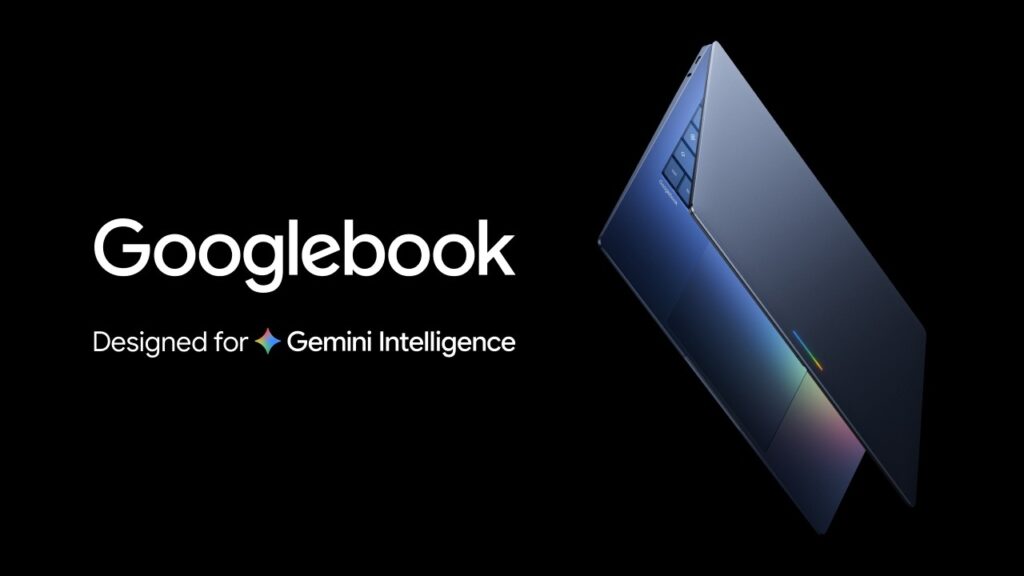
Remember the Chromebook? Yeah, Google dropped that over 15 years ago. A cloud-first laptop. Made sense for its time. But times change. We’re not messing with operating systems anymore we’re moving into intelligence systems. So Google looked at the laptop, shrugged, and said, “Why not reinvent the whole thing again?” Enter the Googlebook.
That’s where the Googlebook laptop comes in.
From what Google’s sharing today, this thing is a mashup of the best of Android (all those powerful apps, plus a modern OS built for AI) and ChromeOS (aka the world’s most popular browser). The result is a completely new category of laptop called the Googlebook, and honestly? It looks pretty interesting.
Gemini is at the heart of it. And Google is promising that these laptops will work seamlessly with your phone and other devices, wrapped in premium hardware. Here’s a quick look at what they’ve revealed so far. More details are coming later this year.
Table of Contents
ToggleThe Cursor Finally Gets a Brain
Here’s something Google pointed out that I can’t unthink now: the cursor is the first thing you see when you open your laptop, but it hasn’t really changed since the right-click was added. That’s wild, right?
So Google fixed it. They built something called Magic Pointer with their DeepMind team. The idea is simple: wiggle your cursor, and Gemini wakes up. Point at a date in an email? Gemini offers to schedule a meeting. Select two images—say, your messy living room and a new couch from a website? Gemini shows you what the couch would actually look like in your room. A few clicks, and you’re done. No hunting for menus or digging through apps.
Your Desktop, But Make It Personal
Google is also adding something called Create your Widget to google books. Instead of wrestling with settings, you just type a prompt. Gemini searches the web or checks your Gmail and Calendar, then builds a custom widget for you.
Here’s the example Google gave: planning a family reunion in Berlin? Gemini can pull your flight info, hotel reservations, restaurant bookings, and even a countdown into one single spot on your desktop. Your desktop becomes your dashboard—not some generic grid of stuff you never use.
I don’t know about you, but that actually sounds useful.
Googlebook Works With Your Phone
This is the part that excites me the most. Because let’s be real most of us are juggling a laptop and a phone all day long. And it’s never seamless.
Google claims the google book laptop changes that. You’re deep in work on your laptop and get hungry? Tap a phone app right from your screen, order food, and keep working. Get a Duolingo reminder? Pop it open, finish your lesson, and close it. No picking up your phone. No losing focus.
Also, Quick Access lets you browse, search, or insert files from your phone directly in your Googlebook‘s file browser. No transfers. No cables. No “I emailed it to myself” nonsense.
Premium Hardware Partners For Googlebook
Google isn’t making these alone. They’re working with Acer, ASUS, Dell, HP, and Lenovo to build the first Googlebook laptops. Every one will have premium materials and a variety of sizes. And you’ll know it’s a Googlebook by the unique glowbar which Google says is both beautiful and functional.
My Take
Look, I don’t have all the answers yet. Google is sharing more this fall when the first devices actually launch. But a laptop built from scratch for Gemini, with deep Android integration and a cursor that actually helps you instead of just sitting there? That’s worth watching.
You can check out more at googlebook.com. And I’ll definitely be back with updates as I learn more. And hey, while you’re waiting for the Googlebook to land, why not check out some of my other blogs here on Avymt Blogs? I’ve been writing about the stuff that actually matters in tech the trends, the tools, and the gadgets that make life easier (or at least more interesting).